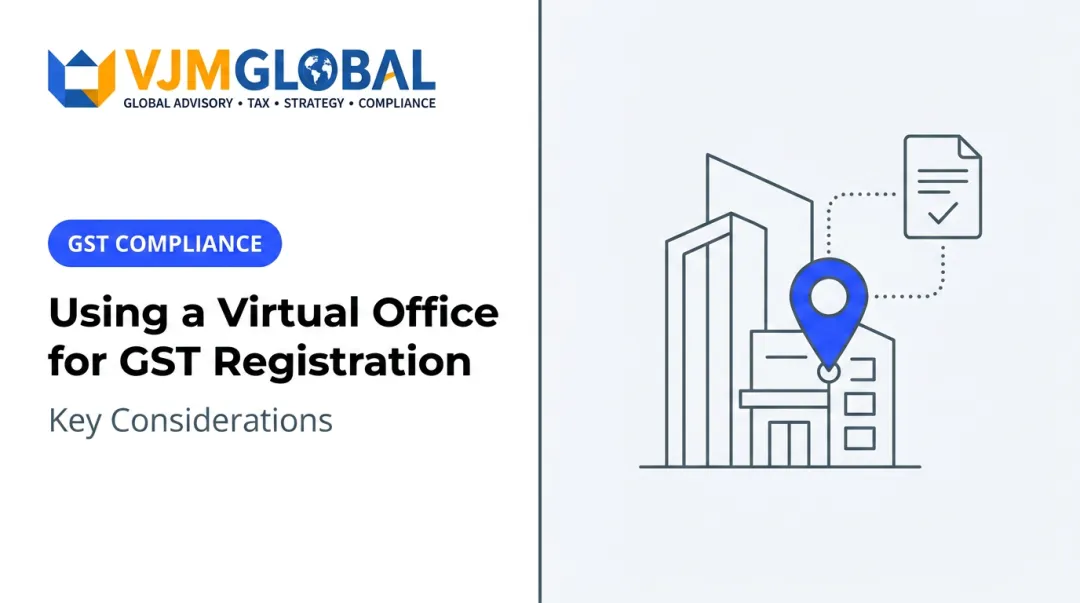
Remote-first businesses, freelancers, e-commerce sellers, startups, and companies entering India from abroad, including NRIs, OCIs, and foreign investors, increasingly use this approach. It's a practical way to establish a genuine Principal Place of Business without renting space you'll never use.
Here's the catch: GST registration depends on accurate, verifiable premises documentation. A virtual office cannot be treated as a mail-forwarding box with a business label attached. The tax department checks addresses, and inconsistent paperwork triggers queries, delays, or rejection.
This guide covers when a virtual office address makes sense, what documents you need, how to apply on the GST portal, how to prepare for verification, and how to stay compliant afterward.
Key Takeaways
- A virtual office works for GST registration only when it's a genuine, identifiable premises backed by valid documents
- Cross-check the lease agreement, provider NOC, utility proof, and signatory details before filing
- Enter the address exactly as it appears in your documents; legal name, PIN code, and unit number must match everywhere
- Pick a provider that can support official verification, notice handling, and renewals after approval
- Confirm current requirements on the GST portal or with a professional, since procedures do change
When Should You Use a Virtual Office Address?
A virtual office works when you need a credible, documented commercial address but not a desk occupied every day. If you operate remotely and only need premises for tax and legal purposes, this is the right tool.
Good-fit scenarios include:
- Remote service businesses (consulting, IT, design, marketing) with no client-facing storefront
- E-commerce sellers needing a registered address in a state where they store or fulfil inventory
- Startups conserving cash before committing to a lease
- Foreign companies, NRIs, and OCIs establishing an initial Indian presence
- Businesses expanding into a new state with genuine warehousing or client-service needs there
It is not appropriate when used to:
- Obtain an address that can't actually be verified
- Conceal where the business really operates
- Create a registration in a state with no real business connection
One State, One Registration
A virtual office address in Karnataka doesn't let you register for GST in Maharashtra. The GST portal is explicit: the Principal Place of Business must sit within the same state or union territory where you're seeking registration, and operating in a different state requires that state's own address as the PPOB for that specific application. Each state where you're liable to register needs its own application and its own valid premises.

Before You Commit
Weigh these questions first:
- Privacy: are you comfortable with your business name tied to a shared address?
- Client perception: does the address match how you present the business to customers or investors?
- Verification exposure: can the provider support an officer's visit if one is triggered?
- Growth plans: will you outgrow this arrangement within 12 to 18 months?
- Home address alternative: is a home address legally and practically usable instead?
A home address can work for a very small proprietorship, but it often creates privacy issues and doesn't scale once you hire staff or expand across states. If those trade-offs don't work and you still need a verifiable commercial premises in the registration state, a virtual office is the practical middle path.
What You Need Before Using a Virtual Office Address for GST Registration
Exact document requirements shift by legal structure and current portal rules, so confirm specifics against the official GST registration document checklist before applying. Four categories come up in nearly every case, though.
Provider and Premises Documents
- Signed agreement or lease naming the provider, the premises, the applicant, and the permitted business use
- NOC or consent letter from someone legally authorised to permit use of the premises
- Utility bill, property tax receipt, or ownership document linking the address to the owner or authorised occupant
Applicant and Entity Documents
Requirements vary by business structure:
| Entity Type | Typical Documents Needed |
|---|---|
| Proprietorship | PAN, Aadhaar, photograph, address proof, trade name |
| Partnership/LLP | Partnership deed or LLP agreement, partners' PAN and Aadhaar, authorisation letter |
| Private Limited Company | Certificate of incorporation, PAN, board resolution, authorised signatory's digital signature |
| Foreign company | Mandatory DSC, plus additional identity and authorisation documents for the signatory |
Digital signatures are compulsory for companies, LLPs, foreign companies, and foreign LLPs; other structures can typically use Aadhaar-based e-sign instead.
Address Consistency Checks
Every document needs to tell the same story. Compare:
- Legal name and spelling
- Complete postal address, including unit or suite number
- State, district, and PIN code
- Dates and signatures across the agreement, NOC, and utility proof
Unclear scans, expired documents, missing signatures, or an agreement that doesn't actually authorise business use are the most common causes of GST queries. A mismatched PIN code between your rent agreement and utility bill is a small error with an outsized impact.
Provider Due Diligence
Before signing anything, confirm the provider:
- Maintains a real, identifiable premises that can be physically inspected
- Can facilitate an officer's visit if verification is triggered
- Has a documented process for receiving and forwarding official notices
- Offers clear terms on renewal, cancellation, and address-change support
Ask directly whether their package is built for GST registration, not just mail collection. Some providers only handle correspondence and were never designed to survive a compliance check.
How to Use a Virtual Office Address for GST Registration: Step-by-Step
Follow five stages: pick a compliant address, assemble matching documents, submit accurate details, respond to queries, and maintain the address after approval.

1. Setup and Preparation
Choose a virtual office provider with premises in the state where you need registration. Before paying anything, review the agreement, NOC, utility proof, and mail-handling arrangements.
Decide whether this address will be your Principal Place of Business or an Additional Place of Business, based on your operating structure. If you're a foreign company, multi-state seller, LLP, or company with complex fulfilment arrangements, have a CA or GST professional review the full document set before you submit anything.
2. Initiating the GST Application
Start with the portal's new registration workflow, Part A. Enter your legal name as per PAN, business PAN, state, and authorised signatory contact details. Complete mobile and email OTP verification to receive your Temporary Reference Number.
In Part B, fill in the Business Details, Promoters/Partners, Authorised Signatory, and Principal Place of Business tabs. Enter the virtual office address exactly as it appears in your supporting documents. Don't shorten the unit number, rearrange the street name, or "clean up" the PIN code.
Sign electronically using DSC (mandatory for companies, LLPs, and foreign entities) or Aadhaar-based e-sign, depending on your structure.
3. Uploading Documents
Upload clear, readable copies of:
- The agreement or lease
- NOC or consent letter
- Utility or ownership proof
- Entity documents such as the incorporation certificate or partnership deed
- Identity documents for the authorised signatory
Check current file format and size limits before uploading. Rent agreements and constitution documents often have different size caps from utility bills and consent letters. A file that is too large for one category can still be rejected even when the document itself is correct.
4. Responding to Verification or Queries
The GST department may review your application, issue a clarification request, or conduct physical verification. Neither a virtual office nor professional help guarantees automatic approval.
Under CGST Rule 9, a complete application is typically approved within 7 working days. If the officer needs clarification, they issue Form GST REG-03, and you get 7 working days to respond in Form GST REG-04.
Keep your provider, authorised signatory, and adviser ready to respond quickly with corrected documents or an explanation of your business model.
5. Completing Registration and Maintaining the Address
Once approved, download your GST registration certificate and check the legal name, GSTIN, state, and Principal Place of Business for accuracy. Errors caught now are far easier to fix than errors caught during an audit.
From here:
- Use the registered address consistently on invoices, contracts, and correspondence
- Display the registration certificate and GSTIN at the premises, as required
- Keep the agreement, NOC, utility proof, and mail records on file for future renewals or amendments
Where a Virtual Office Address Is Commonly Used in Practice
Virtual offices work well as a documented business base for teams that operate remotely. Common users include:
- Remote consultants and digital-service providers
- E-commerce sellers and software businesses
- Early-stage startups without a fixed workspace
- Foreign companies, NRIs, OCIs, and multinationals entering India
These businesses often need coordinated setup, tax registration, and accounting support without leasing a full office. VJM Global's business setup and compliance team helps eligible Indian and foreign businesses review documentation and coordinate GST, PAN, and ROC registration, along with FEMA advisory and branch or liaison office setup where required.
Growth adds complexity. A business expanding into new states, adding warehouses, or setting up fulfilment centres may need separate registrations or additional places of business, not just one address covering everything.

A virtual office supports professional correspondence and client confidence. It doesn't replace genuine business activity, accurate records, correct tax filings, or industry-specific licences.
Best Practices for Using a Virtual Office Address Effectively
Keep One Master Address, Everywhere
Use one consistent version of your business name and address across GST, incorporation records, banking, invoicing, contracts, and provider paperwork. Check every document against this master version before you submit.
Keep digital and physical copies of:
- The virtual office agreement and NOC
- Utility proof and renewal receipts
- Your GST certificate
Choosing and Working With a Provider
Choose a provider that can:
- Demonstrate control or authorised use of the premises
- Issue valid, properly signed documents
- Support physical verification if it happens
- Explain exactly how official notices get received and escalated to you
Confirm what's included in the package versus what costs extra, such as mail forwarding, meeting-room access, document reissuance, or address changes.
Staying Verification-Ready
- Present your business name at the premises where relevant
- Ensure your authorised signatory can explain the business model and its link to the address
- Keep contracts, invoices, and proof of operations ready to substantiate the registration
Ongoing Compliance
- Monitor GST portal notices, registered email, and provider communications directly rather than relying solely on a receptionist
- Renew the agreement before it expires
- Update the GST registration promptly if your Principal Place of Business, legal structure, or state changes
- Follow the current amendment process for same-state address changes
- Treat a move to another state as a fresh registration, not an amendment
Common Mistakes to Avoid
- Using a borrowed, fictitious, or mail-only address that can't survive verification
- Submitting documents from premises unrelated to your actual registration
- Copying an address off a website without checking the exact unit, floor, PIN code, and ownership chain
- Assuming a provider's marketing claims alone guarantee GST approval
No provider or adviser can promise approval or guaranteed timelines. GST authorities make the final call based on current law and the evidence you submit—so keep your master address, documents, and verification story aligned.
Conclusion
Using a virtual office address for GST registration succeeds or fails on documentation quality and compliance. The address itself matters less than whether every document behind it tells a consistent, verifiable story.
Keep these steps tight:
- Choose a genuine, identifiable premises
- Prepare matching documents
- Enter the address accurately on the GST portal
- Stay ready for verification and official correspondence after approval
Requirements shift over time, and the stakes are higher for foreign businesses, multi-state operations, e-commerce sellers, LLPs, and companies with unusual premises arrangements.
Verify current rules on the official GST portal, or work with a professional who handles this regularly. VJM Global's business setup, GST, and compliance specialists support Indian and foreign businesses with documentation review and registration coordination.
Frequently Asked Questions
What address proof is required for GST registration?
Virtual office GST setups typically need the lease or service agreement, a provider NOC or consent letter, and a utility bill or ownership document. Confirm the current official list before applying.
How do I get an address for GST registration?
Secure a genuine business premises and collect provider-authorised documents such as the agreement and NOC. Enter that full address as your Principal Place of Business (or Additional Place of Business) in the GST registration application.
How do I check my GST registration address?
Review your GST registration certificate for the recorded Principal Place of Business, or use the GST portal's Search Taxpayer tool and look up your GSTIN. Portal navigation changes occasionally, so check the current menu structure.
What is the address for GST invoicing?
Your invoices should show the registered business name, GSTIN, and address exactly as recorded with GST, with a separate delivery address listed only when it differs from the place of supply.
What's the difference between registered address and business address?
A registered address is usually the one recorded for company or LLP incorporation. Your GST business address is the Principal Place of Business (and any Additional Places) on record for tax; one address can cover both only if it meets each set of legal requirements.