GSTポータルでは、PANによるGST番号検索およびGSTINによるGST番号検索が可能です。これにより、誤ったGST番号の使用によるトラブルを防ぐことができます。ただし、GSTポータルには名称によるGST番号検索機能はありません。また、GSTポータルには、簡易課税制度(Composition Scheme)を選択した事業者のGSTIN検索
GSTINの検索方法は以下の2通りです。
サプライヤーや取引先が誤ってGSTINを記載してしまうケースがあります。そのため、相手方のGSTINを事前に確認しておくことを推奨します。
GSTポータルでは、GSTINを使用してGST番号の正確性を確認できます。GSTINの照会は https://www.gst.gov.in/ から行えます。GSTポータルでの確認手順は以下の通りです。
Search Taxpayer(納税者検索)>Search by GSTIN/UIN(GSTIN/UINによる検索)

GSTINとキャプチャコードを入力すると、登録者の詳細が以下のように表示されます。

なお、GSTINが誤っている場合は、GSTポータルに 「入力されたGSTIN/UINは無効です。有効なGSTIN/UINを入力してください。」

GSTポータルでは、PANに基づいたGSTINの照会も可能です。正しいPANを入力すると、そのPANで登録されているすべてのGSTIN(1つまたは複数の州)が表示されます。
GSTINの検索は “https://www.gst.gov.in/” の以下のパスから行えます。
Search Taxpayer(納税者検索)>Search by PAN(PANによる検索)
正しいPANとキャプチャコードを入力すると、そのPANで登録されているすべてのGSTINがGSTポータルに表示されます。
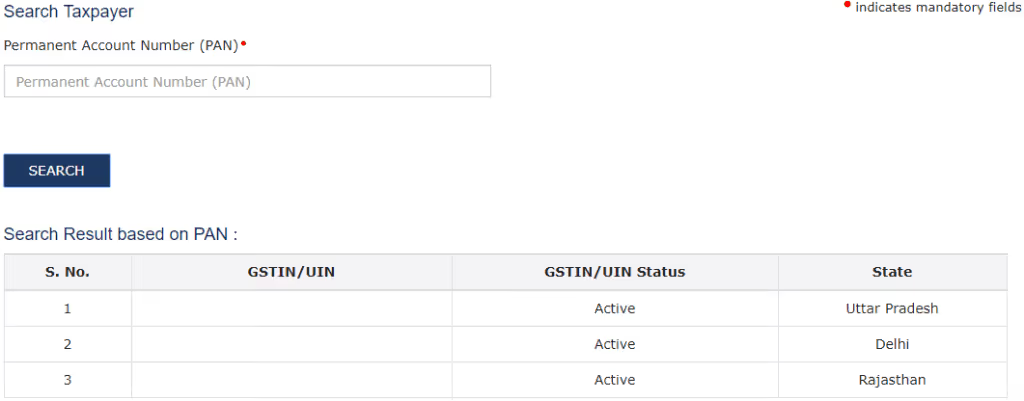
いずれかのGSTINをクリックすると、GSTINが自動入力された状態で「GSTINによる検索」画面に遷移します。なお、誤ったGSTINの場合は、システム上に詳細は表示されません。
GST Portal provides a separate tab for dealers opted for composition scheme. Facility to search composition scheme dealer is available on following path at
Search Taxpayer>Search Composition Taxpayer

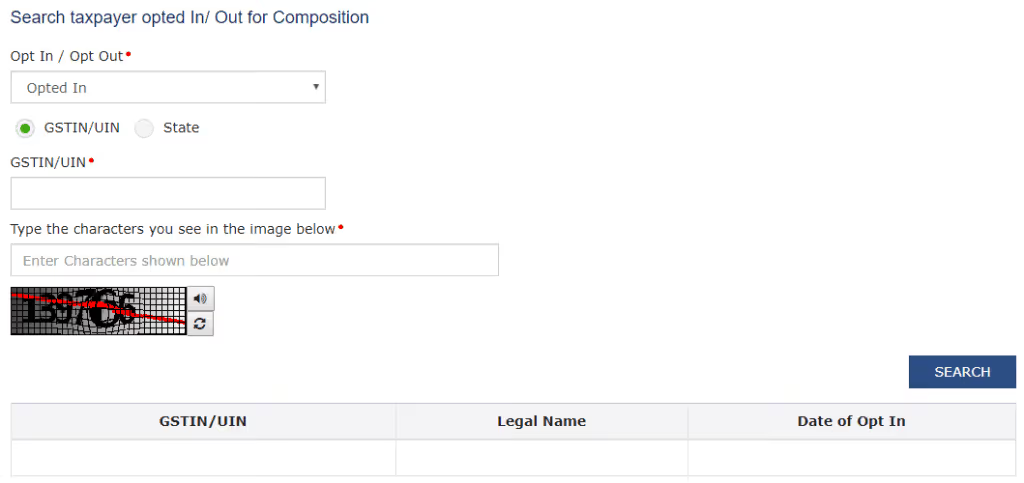
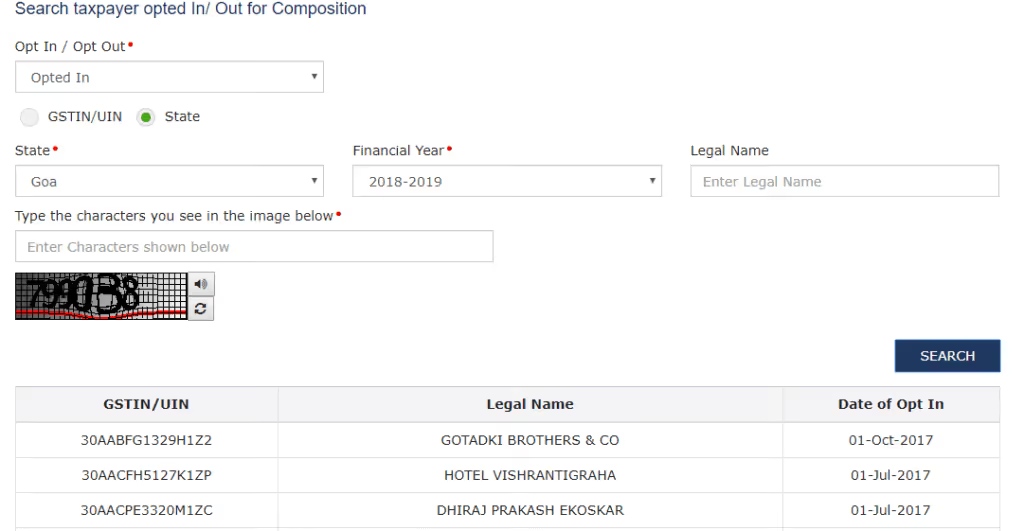
Upon clicking of “Search Composition Taxpayer” tab, GST portal will provide option to search two types of dealers viz. “Opted In for Composition Scheme” or “Opted Out for composition Scheme”. Through “Opted in for composition Scheme”, details of those dealers can be searched who have opted for composition scheme and through “Opted Out for Composition Scheme”, details of those dealers will appear who have opted out of composition scheme.
Upon selection of either of the option, further search will be based on either “GSTIN/UIN” or “State”.

In case of search through “GSTIN/UIN”, upon entering correct GSTIN of dealer who has opted In/Out of composition scheme and Captche, details of such dealer will appear.
Further, if GSTIN/UIN is not available, search may be carried out through state. In case of search through state, name of state, financial year (In which Composition scheme is opted in or opted out)and legal name (Optional) are required to be entered to search details of dealer. If correct details are entered then GST portal will display details of dealer.
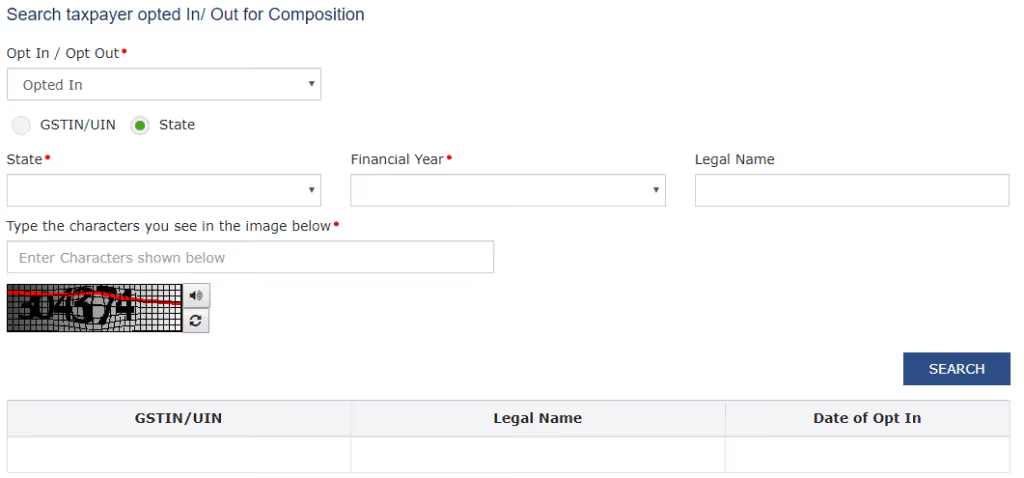
However, in case of incorrect information, GST portal will display message of “No Records”.
Further, if Legal name is also not available, then GST portal will display information of all dealers “Opted In/Opted Out” of composition scheme during such financial year.
Information available related to GSTIN
After entering correct GSTIN, GST portal will display following information:
* Either of state or center jurisdictions is marked as Red which is jurisdiction of Assessee for all proceedings purpose under GST Law.

.avif)