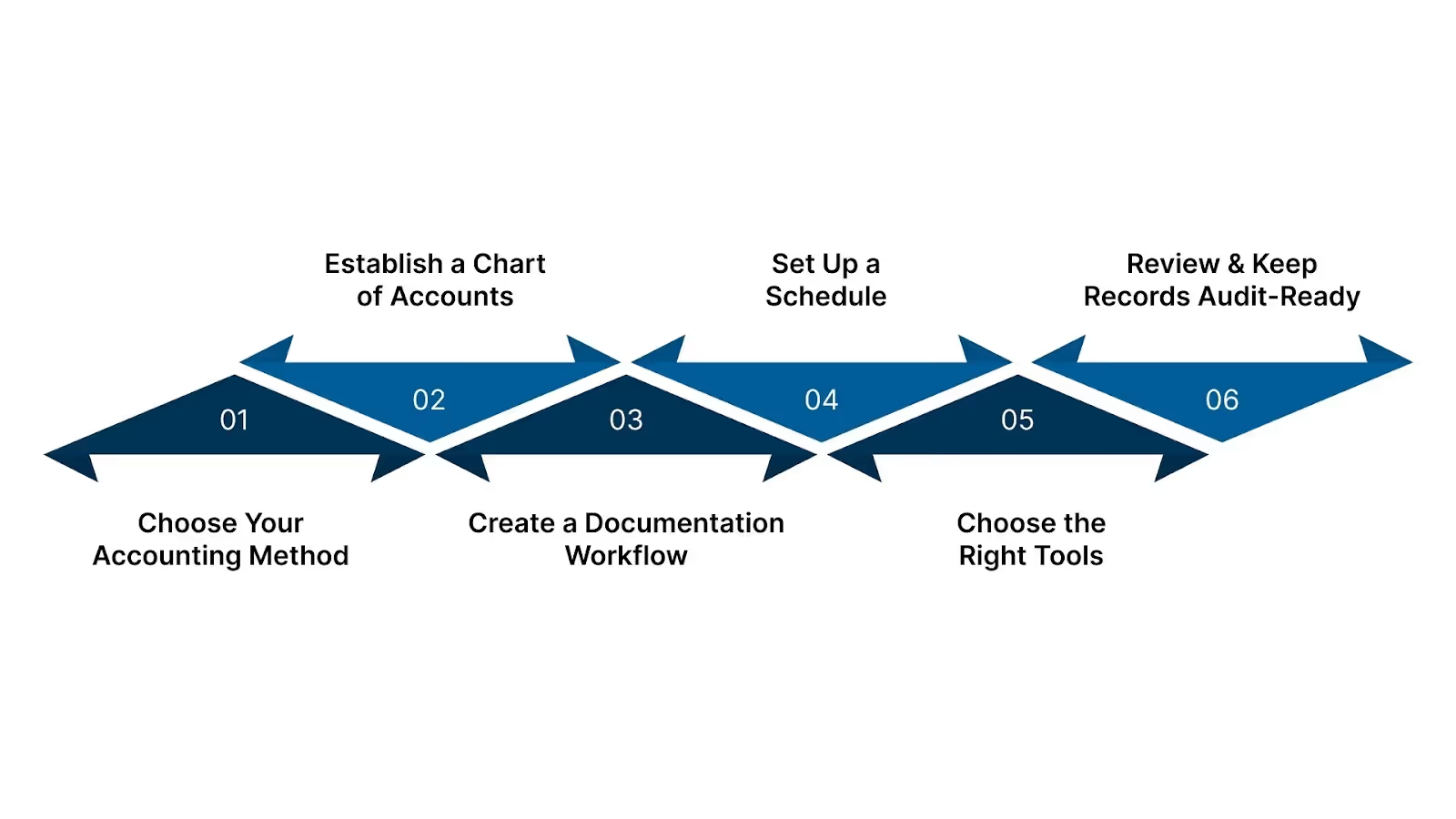
Once you pick a method, structure how you record transactions.
Build aChart of Accounts (COA): categories for income, cost of goods sold (if applicable), expenses (rent, utilities, marketing, payroll), liabilities, assets, and equity.
Keep categories consistent month after month so reporting stays comparable.
A clean chart helps you pull insights quickly, like, Which expenses climbed this quarter?, Are inventory costs eating margins? And where are cash leaks happening?”
Step 3: Create a Documentation Workflow
Paperwork may seem tedious, but it's critical. Mixing personal and business expenses can lead to tax errors and audit issues. Here's how to avoid that:
Use separate business bank accounts and credit cards. Never mix personal spending with business expenses.
For every transaction, keep either a receipt, an invoice, or a copy of a bank statement. Store digitally - e.g., scan invoices and name them clearly ("2025-06-15_Invoice_12345_VendorX.pdf").
Tag or categorize each receipt/invoice immediately. Don't leave sorting for month-end.
This gives you reliable proof for tax deductions, audit readiness, and clean records if you switch to a professional bookkeeper or CPA.
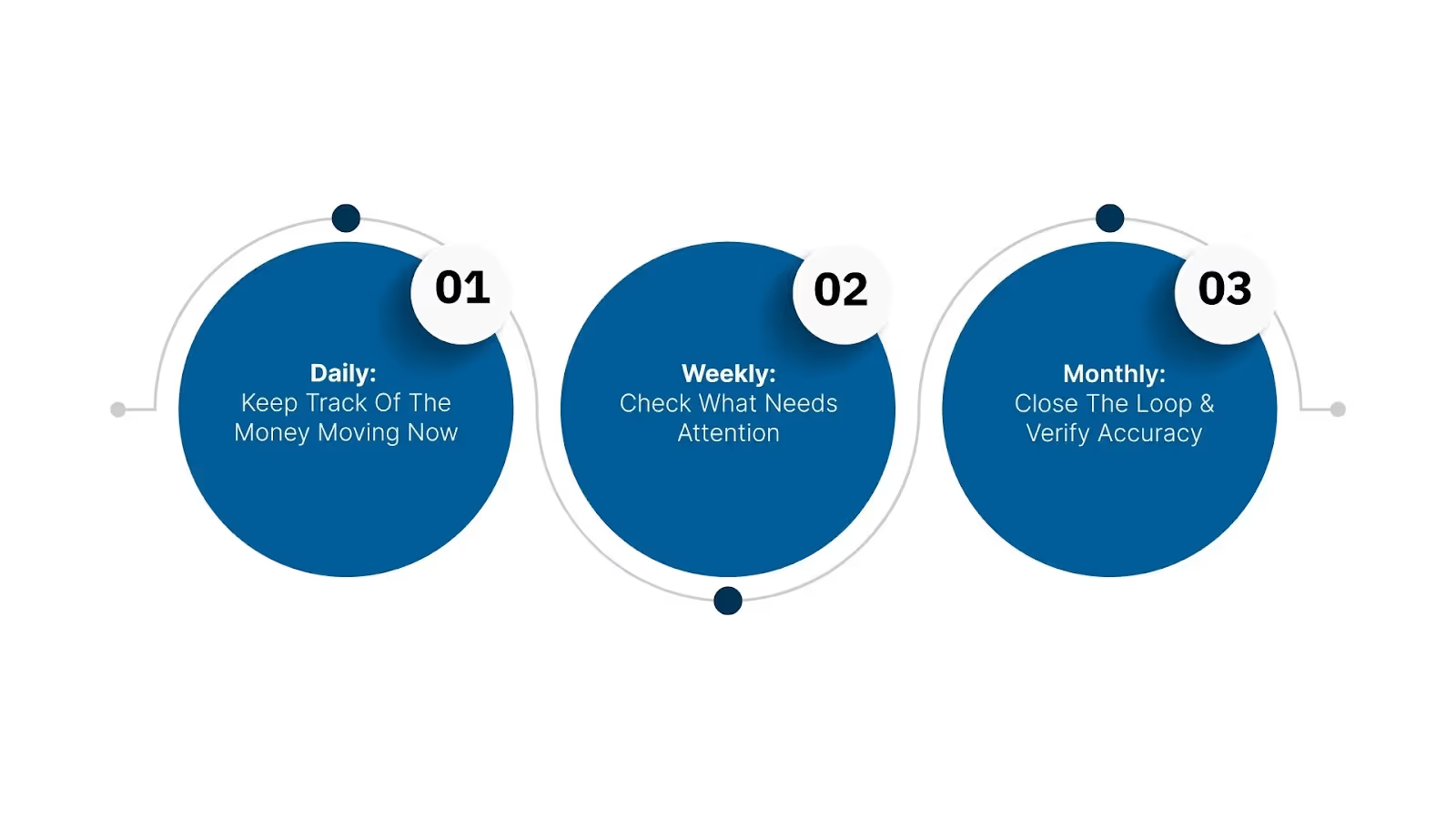
Step 4: Set Up a Schedule
Consistent scheduling keeps bookkeeping manageable and accurate.
Frequency
What to Do
Daily / As transactions happen
Record sales/income, expenses, cash payments, deposits; save receipts/invoices.
Weekly
Review unpaid invoices and upcoming bills, update AR/AP, and check bank feed for new entries.
Monthly
Reconcile bank account, match bank statements to records, reconcile credit card statements, review payroll (if any), categorize expenses, and run a basic financial summary.
This rhythm prevents backlog, reduces errors, and means you're never caught scrambling with a mountain of unsorted receipts before tax deadlines.
Step 5: Choose the Right Tools
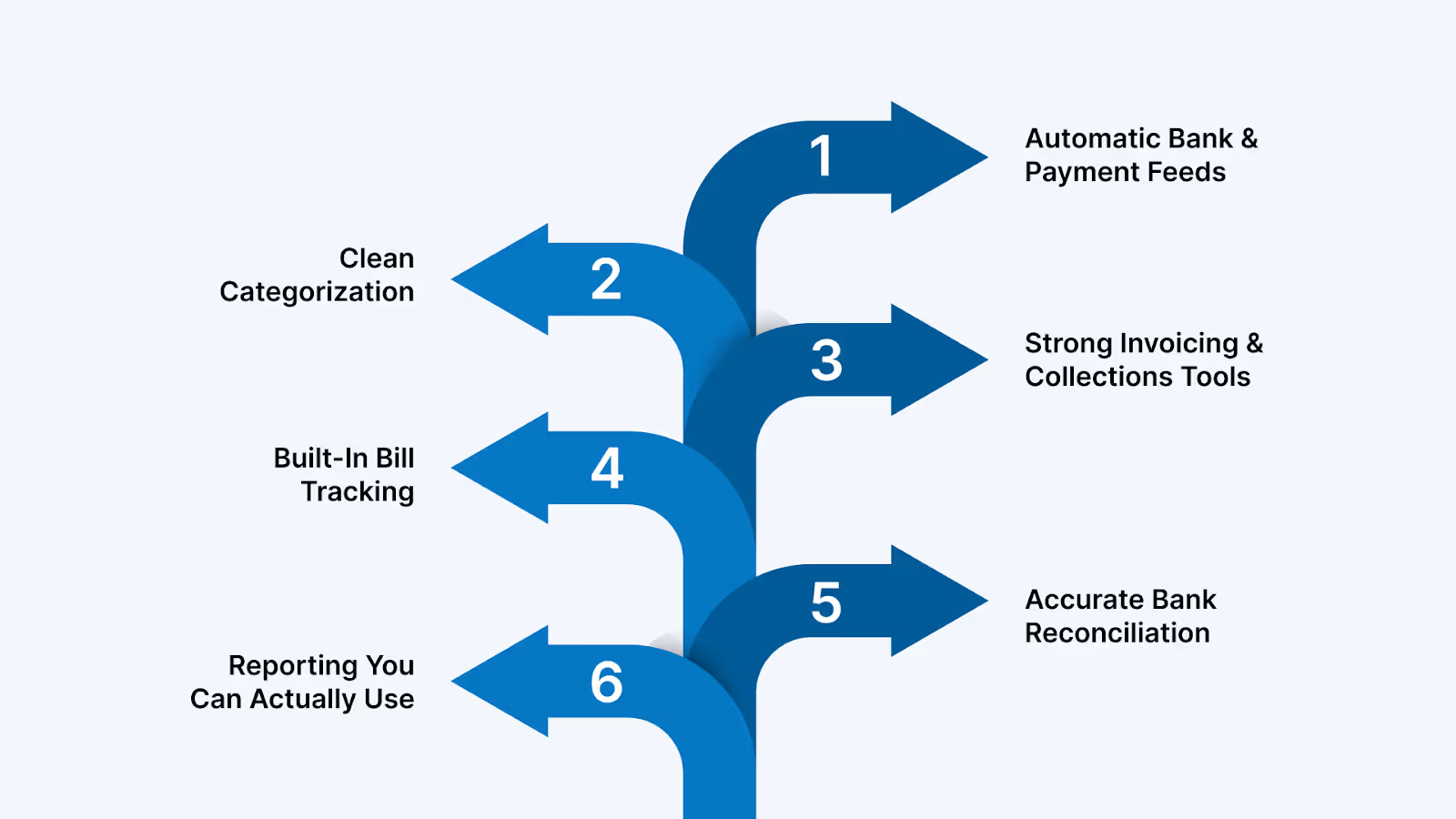
Simple spreadsheets might work at first, but as transactions grow, manual tracking becomes error-prone. Trusted tools help manage bookkeeping without overload.
Good small-business accounting platforms include:
QuickBooks Online - widely used cash- or accrual-bookkeeping, suitable for invoices, expenses, and bank reconciliations.
Xero — beneficial for slightly larger SMBs or those with remote clients, supports bank feeds, multi-user, and real-time reconciliation.
Free or low-cost tools — for very small or early-stage businesses with minimal transactions, but only if you maintain strict discipline on entries and documentation.
Even with the best software, the system only works if you stick to the routines above. Tools help; discipline ensures accuracy.
Step 6: Review & Keep Records Audit-Ready
Bookkeeping isn't "set and forget." It needs periodic review and readiness for compliance.
Every quarter, compare financial statements for trends: Are expenses rising? Is cash flow tight?
Keep records (invoices, receipts, bank statements) for at least 3–7 years. IRS often audits returns 3 years back or longer for particular items.
If business grows, buys inventory, hires staff, and sells on credit, consider switching from cash-basis to accrual accounting to reflect reality better.
Staying audit-ready means fewer surprises, simpler tax filings, and smoother access to business loans or investors.
These steps on how to keep accounts for a small business balance simplicity and compliance. You get clean books without being overwhelmed.
Use a mobile app that lets you snap receipts and auto-store them in the cloud. Attach them to transactions in your accounting software. This creates a clean audit trail and prevents lost deductions.
4. How often should I reconcile my bank accounts?
Monthly is the minimum, but retail and eCommerce businesses should reconcile weekly. Frequent reconciliation catches errors early and keeps your books reliable for tax filings.
5. When should a small business outsource bookkeeping?
Outsourcing makes sense if you're falling behind on updates, getting IRS notices, miscategorizing expenses, or spending more time fixing books than running your business. Growing businesses also outsource to get accurate monthly reports without hiring full-time staff.




.avif)